
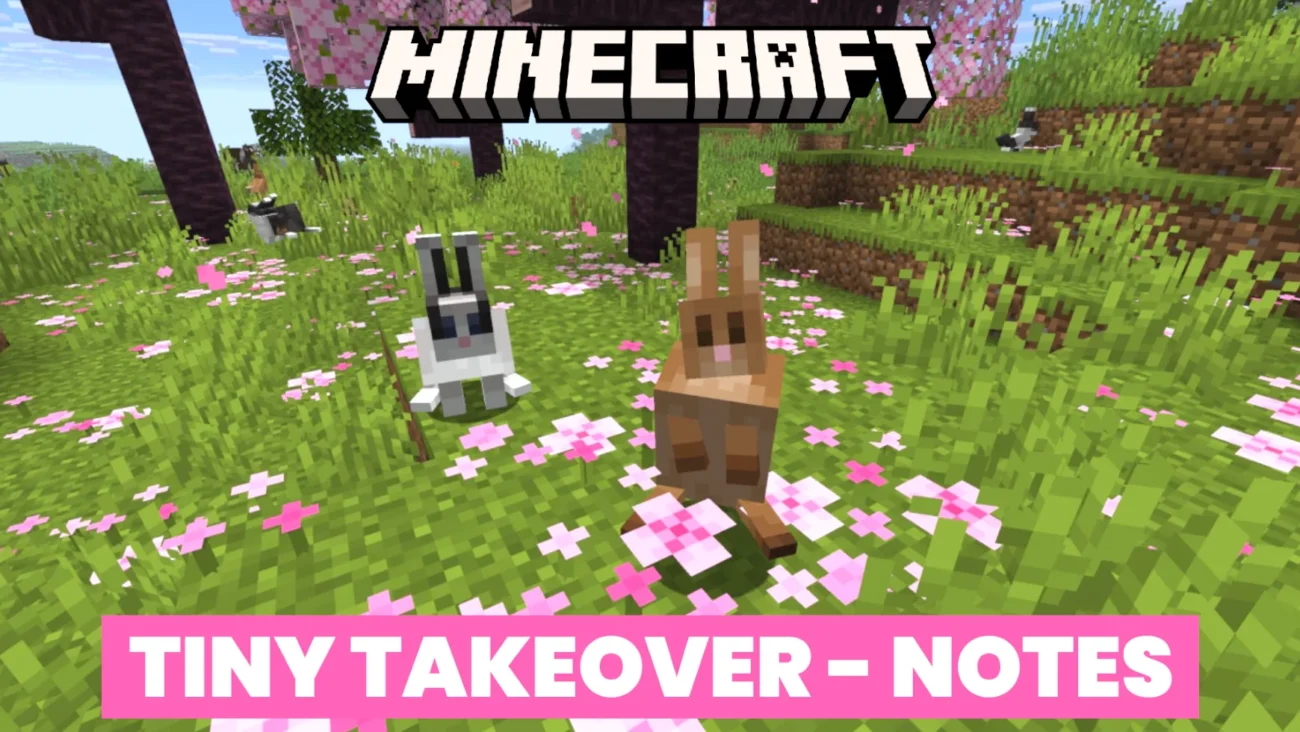
Minecraft Java Edition 26.1 was officially released on March 24, 2026. This is a major content and quality-of-life update focused on the brand-new “Tiny Takeover” theme, which completely overhauls baby mobs with fresh visuals, sounds, mechanics, and a new item to control their growth. Alongside the baby-mob spotlight, Mojang delivered extensive technical modernization, storage restructuring, data-pack expansions, UI improvements, and a massive bug-fix sweep.
The update bumps the Data Pack version to 101.1 and the Resource Pack version to 84. It requires Java 25 (Microsoft’s build of OpenJDK 25 is now bundled) and raises the default JVM RAM allocation from 2 GB to 4 GB with the generational ZGC garbage collector for smoother performance.
1. New Features
Tiny Takeover – Baby Mobs Get a Glow-Up
- New baby-specific sounds added for: Wolf, Cat, Pig, Horse, and Chicken.
- Golden Dandelion – New flower crafted with 1 Dandelion + 1 Gold Nugget.
While holding it, right-click a baby mob to freeze its aging (green downward particles). Right-click again to resume aging (green upward particles).
Cannot be used on undead baby mobs or baby Villagers.
New Adult Sound Variants
- Cats: 1 new variant
- Pigs: 2 new variants
- Cows: 1 new variant
- Chickens: 1 new variant
Animals now randomly pick between the new variants or the original “classic” sounds.
Music Block Expansion
- Copper Blocks can now power a Trumpet instrument on Note Blocks.
The exact sound changes depending on the copper’s oxidation level (exposed → weathered → oxidized).
2. Major Changes
Baby Mobs – Visual & Mechanical Overhaul
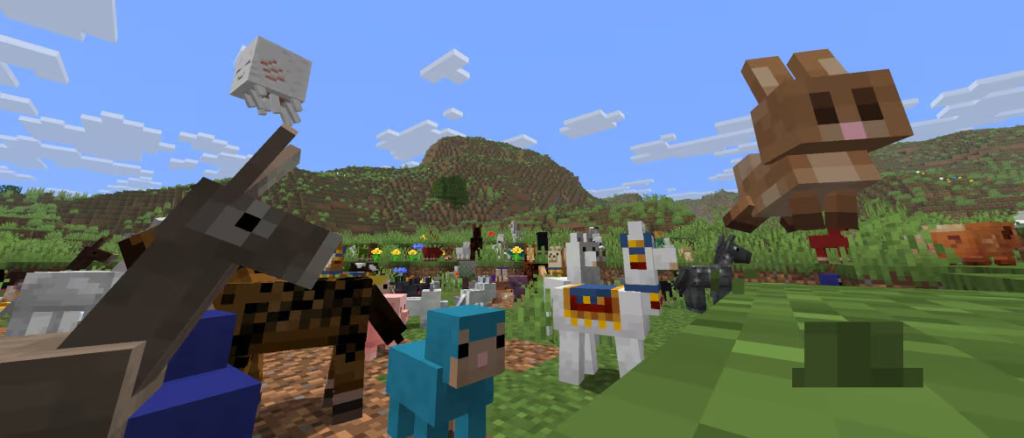
- Completely revamped models and textures for baby (and adult where relevant) versions of: Cow, Mooshroom, Sheep, Pig, Cat, Ocelot, Wolf, Chicken, Rabbit, Horse, Donkey, Mule, Zombie Horse, Skeleton Horse, Camel, Llama, Bee, Fox, Goat, Armadillo, Polar Bear, Panda, Sniffer, Dolphin, Squid, Glow Squid, Turtle, Axolotl, Strider, Hoglin, Zoglin, Zombie, Husk, Drowned, Piglin, Zombified Piglin, Villager, and Zombie Villager.
- Baby Cats now match baby Ocelot scale.
- Baby Horses slightly scaled up.
- Baby Polar Bears no longer attack Foxes.
- Adult Horse “Blackdot” markings updated to match new baby textures.
- Small Armor Stands now correctly scale armor.
- Armor no longer renders on baby Wolves.
- Saddles no longer render on baby Pigs or baby Camels.
- Camel Husks no longer use a baby model.
Trading Changes
- Villager profession trades now use deterministic random sequences (same as loot tables). Re-rolling a trade always produces the same seed-determined list.
- Master-level Librarians no longer sell Name Tags. They now sell Red Candle and Yellow Candle (3 Emeralds each). The experimental Rebalance trade for Enchanted Books remains (3 available).
- Wandering Traders now sell Name Tags for 1 Emerald.
Minor Gameplay Tweaks
- Striders inherit “warmth” from any Strider they stand on (parity with Bedrock).
- Zombie Horses no longer panic when hurt.
- Spear dismount speed thresholds updated to match Bedrock.
- Tripwire texture now renders as alpha cutout (no longer fully transparent).
Lighting & Lightmap Rewrite
The entire lightmap algorithm was rewritten for simplicity and consistency.
- Darkness and Wither-effect darkening now behave the same across all dimensions.
- Night Vision adds ambient light correctly (dark areas never appear brighter than lit ones).
- Block-light tint, ambient-light color, and Night Vision color are now fully data-driven via environment JSON attributes.
3. UI & Quality-of-Life Improvements
- Worlds that need upgrading now show an “Upgrade and Play” button. “Play Selected World”, Edit, and Re-Create are disabled until upgraded. A new upgrading progress screen was added.
- Chat screen improved for servers with restrictions.
- Input Method Editor (IME) support added for Windows & macOS. Candidates appear above text fields; last IME status is restored.
- New “Exclusive Fullscreen” option (off by default; requires restart). May interfere with IME.
- Debug Screen (F3) overhaul:
looking_at_blockandlooking_at_fluidtags removed.- New tags:
looking_at_block_tags,looking_at_fluid_tags,looking_at_entity_tags,sound_cache. - Renamed:
looking_at_block→looking_at_block_state,looking_at_fluid→looking_at_fluid_state. day_countsplit from local difficulty.- New
detailed_memoryentry. - F3 + 4 now toggles a new lightmap debug renderer (shows sky & block light textures; mutually exclusive with FPS/TPS charts).
- Pause-menu Difficulty button replaced by World Options screen (includes difficulty + Game Rules; Game Rules visible only to operators).
- Game Rules screen now has a search bar (searches ID, name, category, description).
- Chat is now always openable. Restrictions are clearly displayed on the chat box and in World Settings. Client-side actions (screenshots, etc.) still appear even if messages are restricted.
Creative Mode
- Ctrl + Pick Block on Players or Mannequins now behaves exactly like
/fetchprofile entity.
Launcher / JVM Defaults
- Default RAM increased to 4 GB (from 2 GB).
- Garbage collector switched to ZGC (generational).
Developer note: “The default memory allocation has been bumped from 2 GB to 4 GB to make the game run smoother and reduce stutters… If you’re running Minecraft on a machine with less than 4 GB of RAM – please refer to the help article.”
4. Technical & Storage Changes
- Game executables are no longer obfuscated.
- Low server disk space now shows a toast notification to operators.
- World & Chunk storage completely restructured (major breaking change for old tools/mods):
- Default dimensions moved to
dimensions/subfolder. - Player data, advancements, stats →
players/subfolder. resources.zip→resourcepacks/subfolder.- All data files now namespaced (e.g.,
data/minecraft/…). - Many legacy files renamed or moved (
chunks.dat→chunk_tickets.dat, maps reorganized, etc.). level.datheavily restructured (Player tag →singleplayer_uuid, difficulty moved, Ender Dragon fight data moved to dimensions folder, etc.).- Chunk geometry handling in GPU memory changed.
- Data saved after world load / server start.
Data Pack Versions 95 → 101.1
- World Clocks are now fully data-driven (
data/<namespace>/world_clock/<id>.json– internal time that can be paused/resumed). - Villager trades registry is data-driven.
- Sound variants for Pig, Cat, Cow, Chicken are data-driven.
- Custom recipe syntax updated.
- Many new tags added for blocks, fluids, items, entities, enchantments, potions, and configured features.
5. Bug Fixes
26.1 includes dozens of fixes across mobs, technical systems, UI, and rendering. Here are the officially listed fixes (categorized):
Mob-Related Fixes
- Zombies in Creative mode, leader zombie health, dolphin drowning behavior, Riptide on entities, cat despawning on leads, feeding health restoration, Ender Dragon velocity, Hoglin/Camel/Dolphin/Squid/Glow Squid despawning on leads, Dolphin nautilus following, Wandering Trader spawning, Zombie Villager variants, Witch accuracy, Bees anger, baby undead horse growth, Piglin hoglin hunting, Wolves on Peaceful, etc.
Technical Fixes
- Water cauldron transparency, bottom-of-world block placement, shipwreck chunk boundaries, world backup freezing, trader llama despawning, mob spawning on moving blocks, bone meal at build height, Piglin inventory editing, trapped horse despawning, End portal/gateway rendering, light transitions, dripstone growth, dragon egg teleportation, bed sleeping sky, bamboo bone meal, particles, /data command, recipe notifications, pink petals texture, spawner light limits, custom worldgen crashes, copper bulb shadows, beacon beams, recipe unlocking UI, TTF font crashes, item components, copper golem pathfinding, map markers, bell visibility, copper golem display orientation, Nether ambient lighting, underwater Conduit Power, piston transparency rendering, zombie horse water movement, redundant level fixer files, custom enchantment effects, nautilus head model, stasis chamber sponge deletion, anisotropic filtering, debug overlay E-value, disabled slider cursor, chest loot sound in Spectator, game rule descriptions, Curse of Vanishing on armor stands, leash ghost knots, tripwire visibility, cactus texture seams, frozen entity hitboxes, turtle egg hatching in Nether/End, kinetic_weapon crashes, totem screen jitter, Ender Dragon death disappearance, and many more.
UI Fixes
- CJK IME support, shield first-person height, scoreboard “below_name” slot, and additional UI/overlay issues.
(Full list available in the official article.)
How to Update
- Open the Minecraft Launcher.
- Select Java Edition → Install 26.1 (or let it auto-update).
- Existing worlds will prompt for upgrade on first load.
- Servers must be updated to 26.1; old clients cannot connect.
Important Note: Because of the massive world-storage restructure, back up your worlds before loading them in 26.1. Third-party tools and some older mods may require updates.
Source Links
| Source Type | Link | Description |
|---|---|---|
| Official Mojang Announcement | https://www.minecraft.net/en-us/article/minecraft-java-edition-26-1 | Full patch notes & developer notes |
| Minecraft Bug Tracker | bugs.mojang.com | Report new issues or view fixed MC- tickets |
| Data Pack / Resource Pack Reference | Minecraft Wiki – Data Packs | Updated for version 101.1 changes |
| Java 25 Requirements Help | Help Article – JVM Settings | RAM & Garbage Collector guide |
